Home Page › Forums › Technical Discussion › Alldocube iPlay 80 Mini Pro Wifi issue
Hello,
I am writing to report a technical issue with my new Alldocube iPlay 80 Mini Pro.
The Problem:
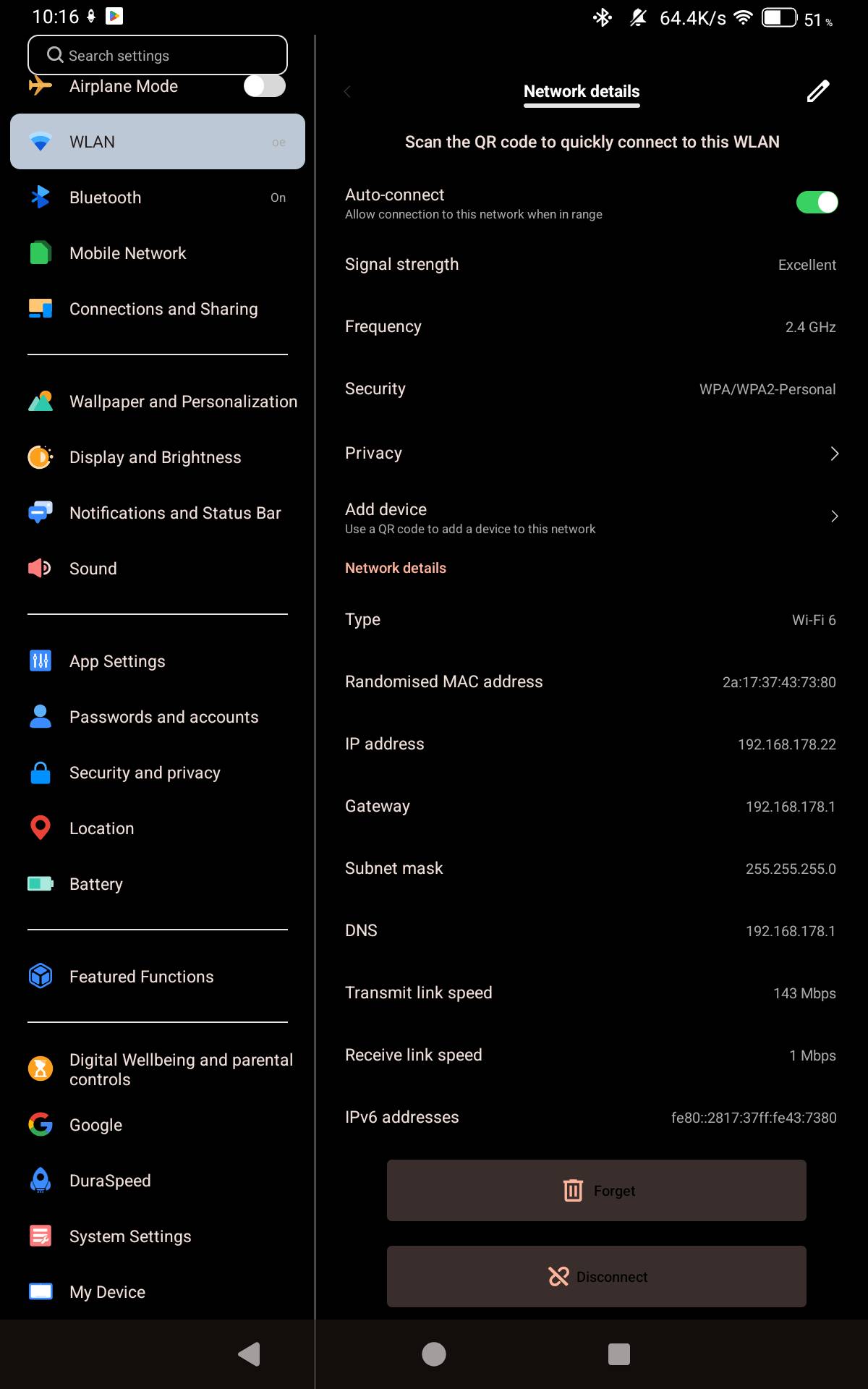
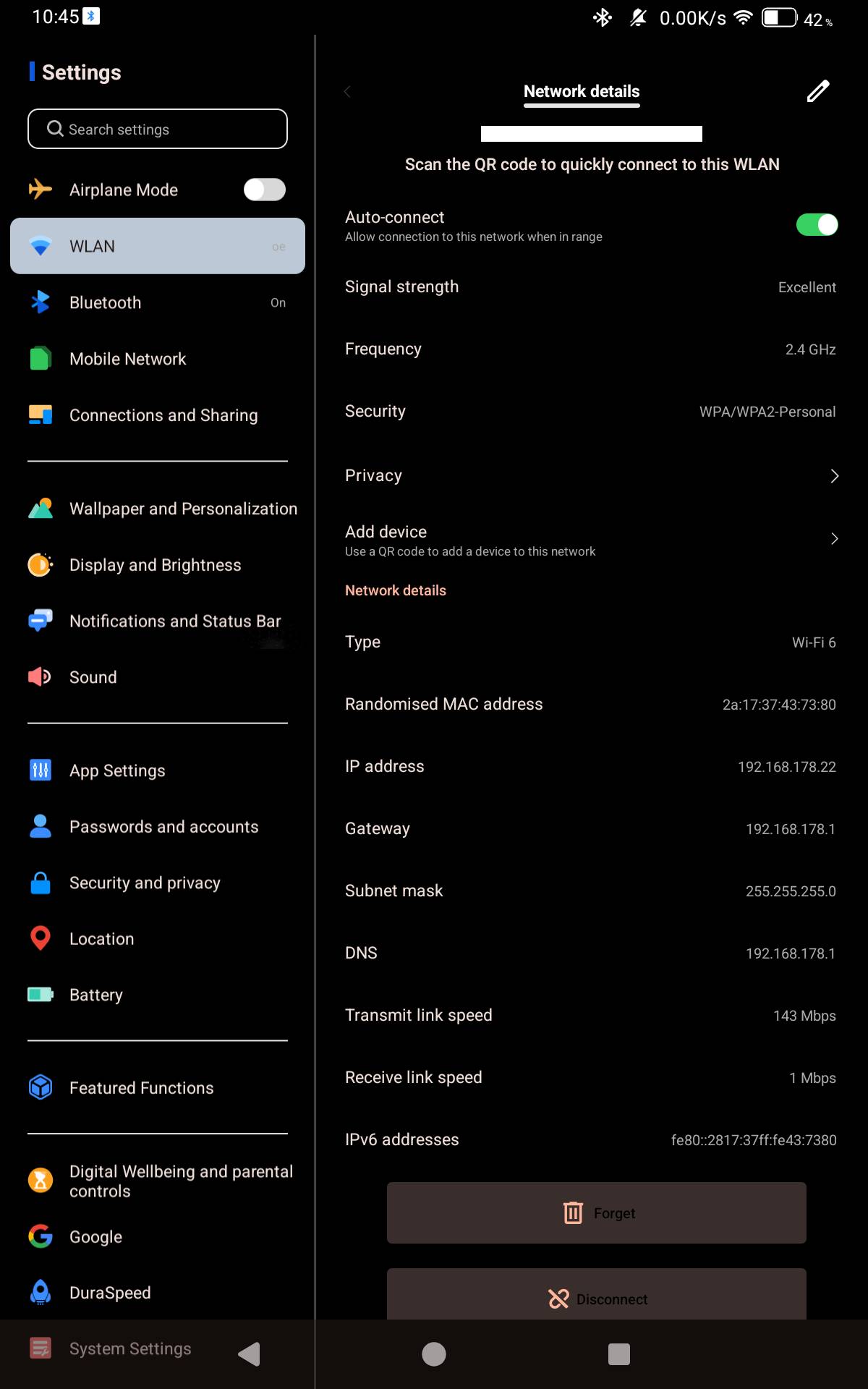
The WiFi connection on the tablet is unstable and disconnects frequently. This happens even when the signal bar is full and I am relativly close to the router. I have to manually reconnect it almost every time it drops.after that it reconnects immediately
Reference & Proof:
I am using a FRITZ!Box 7490 as my primary router. I also own an Alldocube iPlay 50 Mini, and that device works perfectly on the same network without any disconnects. All my other household devices are also stable. This confirms that the issue is specific to the iPlay 80 Mini Pro’s current firmware or drivers.
Technical Details:
Model: Alldocube iPlay 80 Mini Pro
Router: FRITZ!Box 7490
Build Number: [T830_B16_V5.0L.7_202606171225]Serial Number:T830128GB26191192XXX
I would appreciate it if the technical team could investigate this WiFi bug and provide a firmware update to improve stability for this model.
Best regards.
Thank you for your feedback. Regarding the unstable Wi-Fi connection issue, could you please provide more specific information? Also, have you tried using the reset option in the settings – system to clear the Wi-Fi and Bluetooth data, or even resetting to factory settings and then attempting to connect to Wi-Fi? Additionally, have you tried connecting to other network environments to see if the same problem occurs?
Quote #2F by @win2tabless:
Thank you for your suggestions. Unfortunately, the Wi-Fi connection issues with my FRITZ!Box 7490 persist even after resetting the settings and clearing the data as advised.
The specific problem is that the Wi-Fi icon stays on, but I lose internet access completely. Toggling Wi-Fi off and on restores the connection instantly. All other devices on the same network work fine.
Additionally, I notice that the display’s refresh rate drops to 45 Hertz in power-saving mode, causing stuttering. It would be great to have an option to set this to 60 Hertz as a balanced alternative, or to have a general toggle between 90Hz and 60Hz to manage performance better
iPlay 70 mini Pro user here!
I can confirm the very same issue, with Wi-Fi data throughput collapsing after a certain time, down to staggering low numbers like e/g 15 kbit/sec or even 4 kbit/sec. Unable to recover itself from that state of agony. Without a manual brief disconnect it would just remain in that state…
…Regardless of Wi-Fi access point model-manufacturer or Wi-Fi chipset in use. It’s not a FRITZ!Box related issue.
I still have the iPlay 60 mini pro here with me (as well as the ’50 model). The ’60 series was the last one without that issue! The iplay 60 mini Pro runs rock stable till today when it comes to Wi-Fi data throughput. There is just no Wi-Fi data throughput collapse, not ever with the ’60.
Then, from the ’70 series on we have that unresolved Wi-Fi data throughput collapsing issue. – Checking any energy settings, disactivating all energy saving measures so maxing out performance dosen’t help at all.
It’s a bug definitively and it’s deeply frustrating to read that they copied that very same issue straight into the ’80 generation!
To me that’s a clear warning sign, too.
For your chance to win our tablet, we would like to invite you to subscribe and become our member. As a member you will receive the latest news updates, product announcements, promotions and giveaways from ALLDOCUBE. Subscribe now so that you dont miss out!