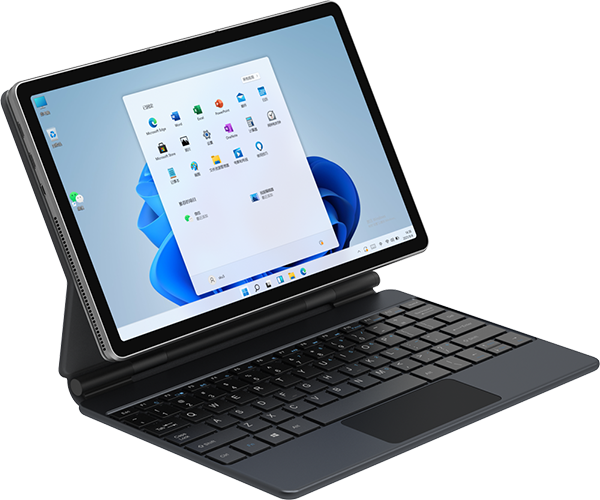
Home Page Forums Technical Discussion Alldocube ULTRA PAD 13 inch – BUG LIST

Viewing 7 posts - 11 through 17 (of 17 total)
Mandalorian
Member
2026-03-18 23:48:34
#11F

Quote #9F by @JeanLuc:

The bug (number 1) mentioned by Timmer still exists. I have version V4.1.41_20260206, and the file manager crashes with any game emulator. This is really annoying, especially since the hardware configuration is good and the build quality is good. Mandalorien,…

A full factory reset of the device helped. Then a new update installed. The default file manager is now working properly.

U1380_B15_V4.1.41_20260206


2026-03-20 00:12:49
#12F

Quote #10F by @Buckaroo:

The file manager does not just crash with emulators but with every installed app so far. Makes the tablet unusable. I bought mine in February 2026, nothing that Mandalorian mentions has been fixed. I will return my device this week.

regrese el miio, y compre d enuevo la tableta,no lo he actualizado por la cuestion de emuladores, temo que si lo actualizo tenga el mismo tema, pero me funciona sin problema por el momento, espero que se arregle este tema pronto y cuando se actualice si funcionando normalmente

Member
2026-03-30 21:39:39
#13F

Quote #11F by @Mandalorian:

A full factory reset of the device helped. Then a new update installed. The default file manager is now working properly. U1380_B15_V4.1.41_20260206  

I performed a factory reset. I reset the tablet. Without any updates, I was on version U1380_B15_V4.1.41_20260206 (I bought this tablet very recently on March 2, 2026). I installed Azahar, and when setting up the folder, the file manager crashed! I reset my tablet for nothing, and now I have to reinstall everything! The file manager doesn’t work.

Member
2026-04-09 16:29:13
#14F

Quote #13F by @JeanLuc:

I performed a factory reset. I reset the tablet. Without any updates, I was on version U1380_B15_V4.1.41_20260206 (I bought this tablet very recently on March 2, 2026). I installed Azahar, and when setting up the folder, the file manager crashed!…

Today, a new version was available. After downloading it, the system prompted me to restart. After restarting, I received a message indicating that the update had already been installed. I relaunched Azahar, and during folder setup, the file manager crashed. So nothing has changed. When I go to system update, the current version is U1380_B15_V4.1.44_20260324_20260324-1518. This new version appears to be the same as the previous one, but the installation process didn’t complete because it recognized that the version hadn’t changed from the previous one. The file manager problem persists, and it still doesn’t work.

Member
2026-05-12 19:39:41
#15F

Quote #13F by @JeanLuc:

I performed a factory reset. I reset the tablet. Without any updates, I was on version U1380_B15_V4.1.41_20260206 (I bought this tablet very recently on March 2, 2026). I installed Azahar, and when setting up the folder, the file manager crashed!…

Hi @JeanLuc,

I have the same problem. The file picker crashes on the emulator app, so you cannot select a custom game directory. To sort out this issue, I used Shizuku and ZArchiver.
In the Developer Options, I connected Shizuku through Wireless debugging and ran the Shizuku service. Once Shizuku is running, I was able to place my games in the emulator’s original games folder through ZArchiver.

For instance: Android/data/<emulator folder>/files/games

I hope this helps.

Member
2026-05-12 20:42:03
#16F

Quote #15F by @cjmorae:

Hi @JeanLuc, I have the same problem. The file picker crashes on the emulator app, so you cannot select a custom game directory. To sort out this issue, I used Shizuku and ZArchiver. In the Developer Options, I connected Shizuku…

Hello cjmorae,
Thank you for the information, I’ll test it. The best solution is still to fix this file manager bug directly in a new update. Happy emulating!

Member
2026-05-12 20:51:37
#17F

Quote #16F by @JeanLuc:

Hello cjmorae, Thank you for the information, I'll test it. The best solution is still to fix this file manager bug directly in a new update. Happy emulating!

Hi @JeanLuc,

Absolutely, I agree, they should fix it.
I hope you can at least use the emulators with that workaround.

Viewing 7 posts - 11 through 17 (of 17 total)
Post a new Topic
SUBSCRIBE NOW