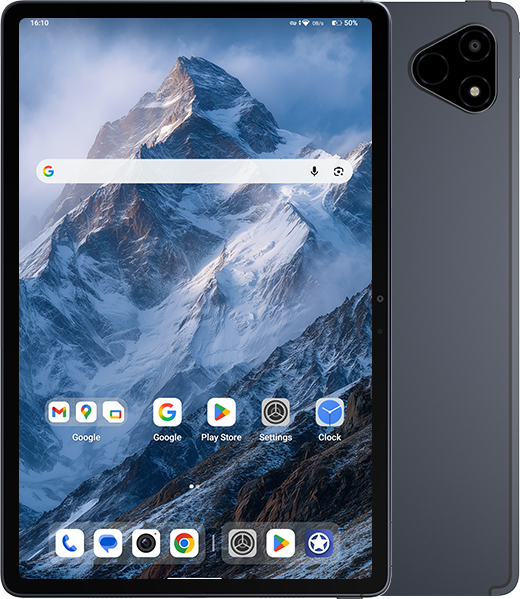
Home Page Forums Technical Discussion iPlay 70 Mini Pro Firmware

Tagged: , ,

Viewing 9 posts - 31 through 39 (of 39 total)
Member
2026-02-22 16:14:44
#31F

Hello fellow alldocube users …


Only one f…. question why on earth there in no single update for our beloved iplay70 mini ultra tablet device ?? Alldocube are you guys really that incompetent in that area ?? What is going on ??

Member
2026-02-22 17:34:27
#32F

Use the unbrick here https://xdaforums.com/t/unbrick-alldocube-iplay-70-mini-pro.4769181/

Member
2026-02-23 05:58:10
#33F

I finally managed to install the ProjectInfinity-X_gsi ROM using DSU loader, but of course, after restarting the tablet, it reverted to the original ROM. Is there any way to permanently replace it? ProjectInfinity is infinitely better!

Member
2026-02-23 15:09:26
#34F

Quote #29F by @Tonio1987:

You can flash this rom without DSU with this : https://magiskzip.com/install-gsi-on-android/ it's only : fastboot reboot fastboot (for reboot in fastbootd) fastboot --disable-verity --disable-verification flash vbmeta vbmeta.img (from recovery. zip here : https://xdaforums.com/t/unbrick-alldocube-iplay-70-mini-pro.4769181/) fastboot erase system fastboot delete-logical-partition product_a fastboot…

Thank you Tonio1987 for sharing & helping.

Member
2026-03-29 20:52:34
#35F

Quote #22F by @billchristoy:

Not a steady rom for me.i got often reboots and the downside for me is i want to use tablet as a mobile phone so the stock rom is my only option thanks to Tonio1987.A big issue of this tablet…

Hi, can you check if your device screen is up to the advertised spec?


I’d appreciate it if you can show me a screenshot of this webpage in your device.

https://testufo.com/frameskipping


Member
2026-04-20 23:15:57
#36F

@tonio1987 or other members, can you give me recommendation for stable and less bugs for gsi or custom rom for our device?

Member
2026-04-21 01:08:52
#37F

I use Infinity X 3.9 | A16 QPR2 all working
https://github.com/Doze-off/ProjectInfinity-X_gsi/releases

Member
2026-04-21 23:44:06
#38F

Quote #37F by @Tonio1987:

I use Infinity X 3.9 | A16 QPR2 all working https://github.com/Doze-off/ProjectInfinity-X_gsi/releases

Nice, thanks mate.

Member
2026-05-14 17:59:34
#12F

Sound for call not work (Maybe it’s work on Derpfest_treble Android 15)
I haven’t really tried to get it working; I make calls with my Galaxy Watch 6.
I haven’t seen anything else that doesn’t work, but I haven’t tested everything.

Read the entire guide before you begin.
If you don’t understand something, don’t continue.
I am not responsible if you brick or break your tablet. This has not been tested on any tablet other than my own.
Good luck

You must have the bootloader unlocked
fastboot oem unlock

You need to start the crDroid 12 ROM with DSU Sideloader shizuku
crDroid 12 GSI with root: [https://sourceforge.net/projects/crdroidos/files/GSI/](https://sourceforge.net/projects/crdroidos/files/GSI/)
DSU Sideloader: [https://github.com/VegaBobo/DSU-Sideloader](https://github.com/VegaBobo/DSU-Sideloader)

Go into the developer settings and enable root debugging

On the PC (Linux), run the script to back up all partitions:

#!/bin/bash

OUT=./dump_all_partitions
mkdir -p “$OUT”

# List all by-name partitions
PARTS=$(adb shell “ls /dev/block/by-name” | tr -d ‘\r’)

# Partitions to ignore
IGNORE=”sdc userdata”

echo “Detecting partitions…”

for P in $PARTS; do
# Check if the partition is in the IGNORE list
skip=false
for I in $IGNORE; do
if [[ “$P” == “$I” ]]; then
skip=true
break
fi
done

if $skip; then
echo “Ignored: $P (raw disk or SD)”
continue
fi

echo “Dump -> $P”
adb shell “dd if=/dev/block/by-name/$P of=/sdcard/$P.img” >/dev/null 2>&1

# Retrieve the file if created
adb pull “/sdcard/$P.img” “$OUT/$P.img” >/dev/null 2>&1
adb shell “rm /sdcard/$P.img”
done

echo “Backup complete!”
echo “Files available in: $OUT/”

*The file super.img is 9GB, it contains several system partitions, I don’t know if it can be shared (unique partition for each tablet, IMEI… ?)

Once the tablet is backed up, you can flash the GSI ROM [https://github.com/Doze-off/Derpfest_treble](https://github.com/Doze-off/Derpfest_treble)

fastboot –disable-verification flash vbmeta vbmeta_a.img
fastboot reboot fastboot #for rebooting in fastbootd
fastboot erase system
fastboot delete-logical-partition product_a
fastboot delete-logical-partition product_b
fastboot flash system derpfest_system.img
fastboot reboot


Viewing 9 posts - 31 through 39 (of 39 total)
Post a new Topic
SUBSCRIBE NOW