Home Page › Forums › Technical Discussion › Bios
Tagged: Cube mix plus, startup.nsh
Hi!
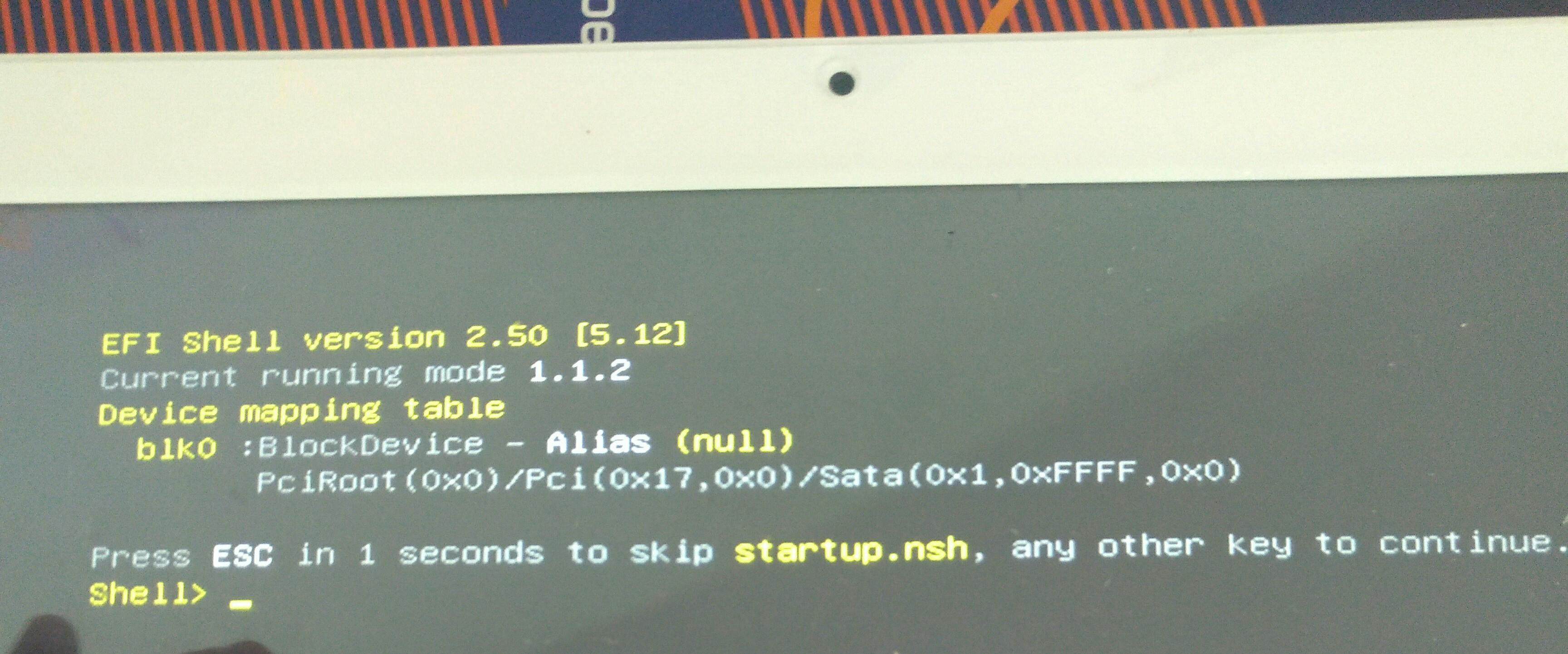
I have some problem with downloading windows. It is stopped on efi shell:
Device mapping table
blk0: blockdevice – alias (null)
…
and nothing to do
Bios don’t see sata disc for downloading in boot
Could you help me?
please tell me serial number of your tablet ,and show a picture what happend
Quote #2F by @win2tabless:

As written on back side of my tablet, it is cube mix plus i18dl128gb18031730285
this is not bios problem.
Partition lost or ssd problem
Quote #4F by @win2tabless:
Ok. What can i do for repair ssd?
Quote #5F by @Sergei Siunyakov:
Hi!
I have the same problem. Did you find the solution?
Quote #5F by @Sergei Siunyakov:
I had the same problem of startup.nsh.
I’ve accessed the BIOS and simply swapped the boot order instead of disabling, as shown in this guide:
https://youtu.be/3c1EhJbQibE
To access the BIOS, if you have already installed win10, you can follow this guide, made by Samsung but that obviously works on all win10 devices:
https://www.samsung.com/us/support/answer/ANS00048443/#:~:text=Open%20the%20BIOS%20settings%20with%20the%20keyboard&text=Press%20and%20hold%20the%20F2,until%20the%20BIOS%20screen%20displays.
(Click on “open BIOS settings”).
For your chance to win our tablet, we would like to invite you to subscribe and become our member. As a member you will receive the latest news updates, product announcements, promotions and giveaways from ALLDOCUBE. Subscribe now so that you dont miss out!