Home Page › Forums › Technical Discussion › Firmware assistance for ALLDOCUBE iPlay 60 Mini Pro (Model: CUL8JN / T812)
Tagged: " update", Android 14, android 15, CUL8JN, iplay 60 mini pro, sp flash tool v6, T812, upgrade
Dear ALLDOCUBE Support Team,
I own an ALLDOCUBE iPlay 60 Mini Pro, model CUL8JN / T812.
The tablet currently does not boot — it stays stuck on the ALLDOCUBE logo with the Android icon and never loads the system.
I have already tried performing a factory reset via recovery mode, but it didn’t help.
Later, I flashed the firmware version 20250310 (Android 14) from your official website. The installation was successful, but after installing Zoom and Viber, Google Play Store and Messages stopped working.
Eventually, the device entered a bootloop again (stuck on the logo).
I have noticed a newer firmware version on your website:
B15_V4.0L.6_20250724 (Android 15) — size 3.39 GB.
Could you please confirm:
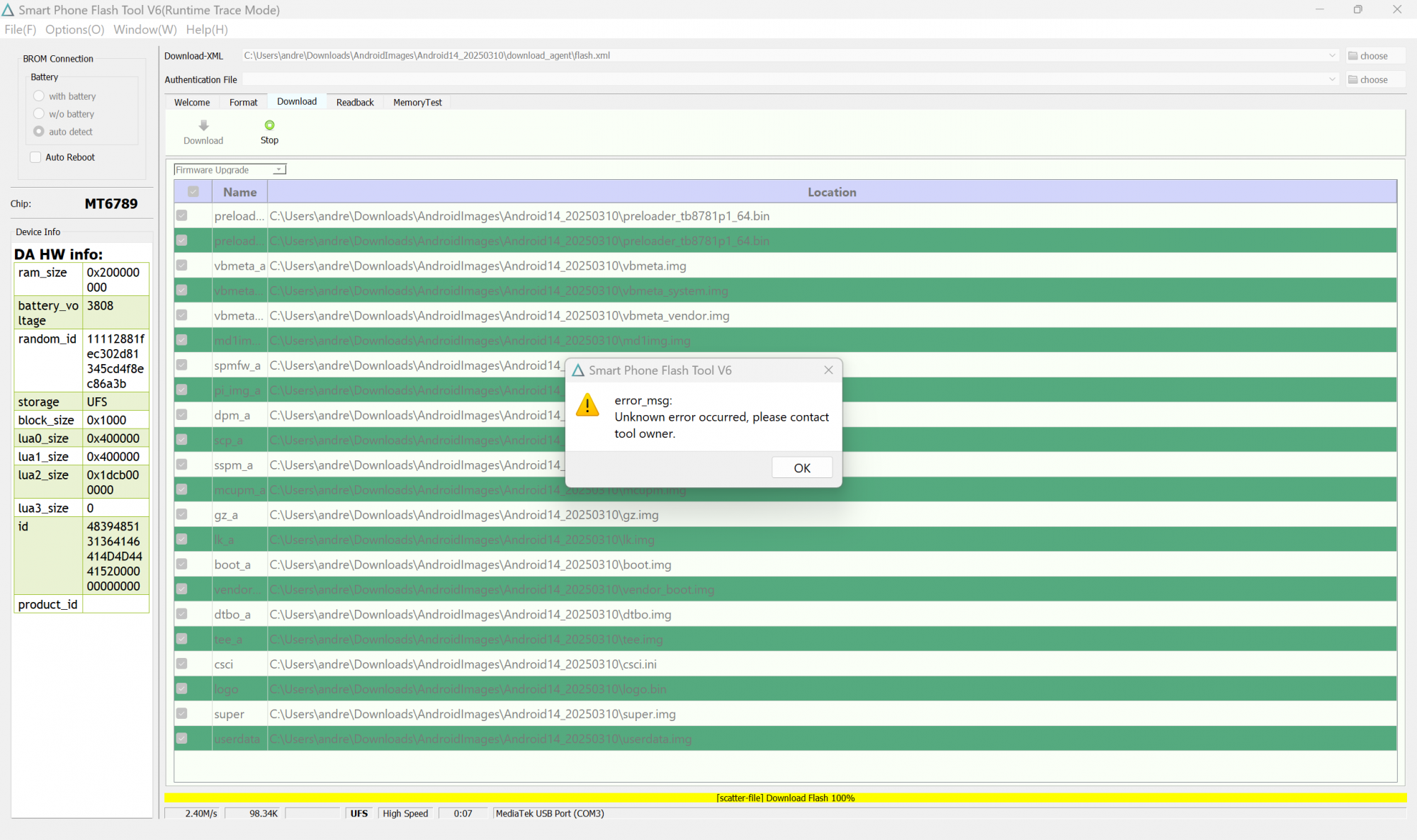
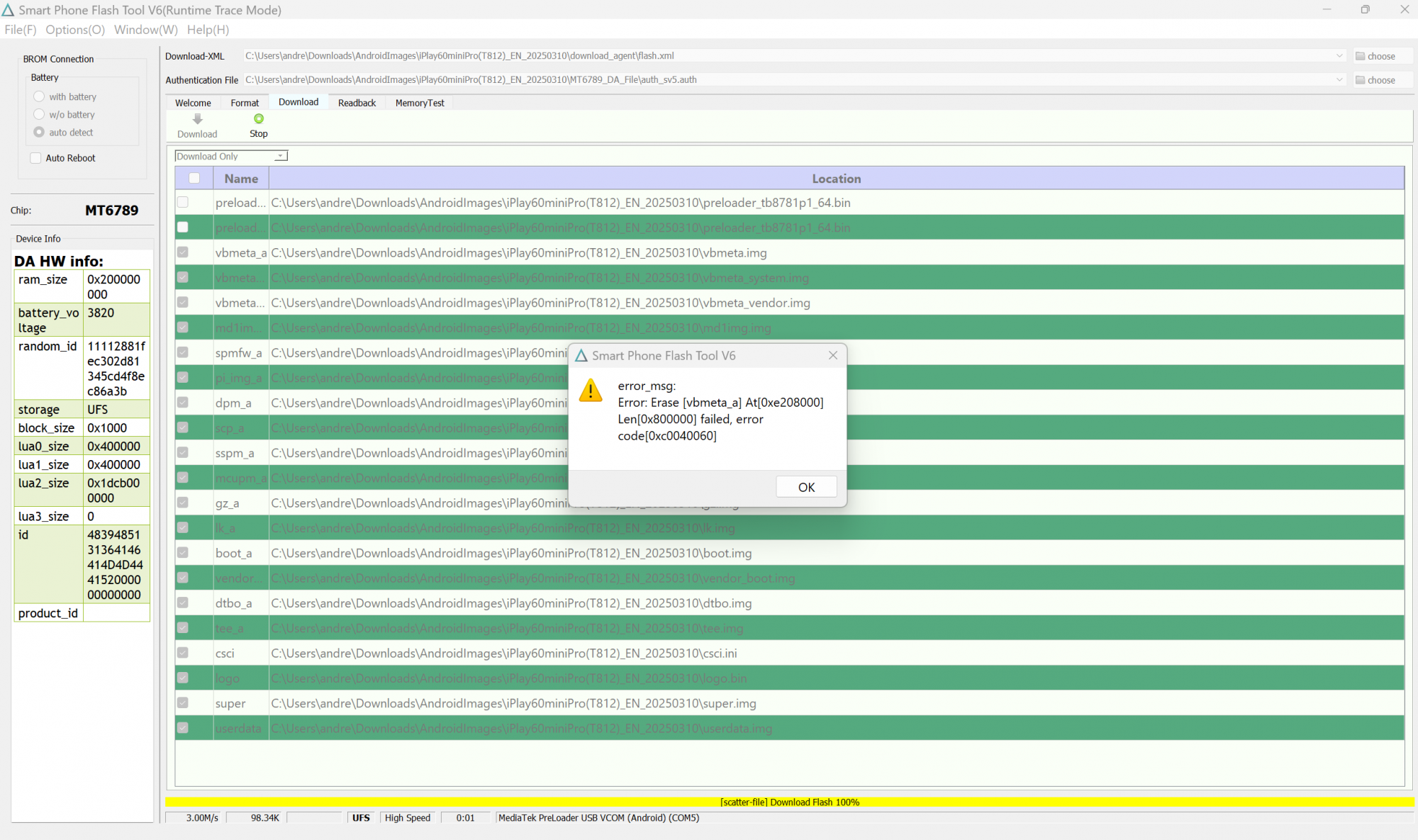
Also, when I try to do Dowload again I get the following error when flashing Android 14 and 15 firmware:
Error: Erase [vbmeta_a] failed, error code [0xC0040060]
Could you please provide the authorized DA and Authentication file for model CUL8JN (MT6789)?
I would also greatly appreciate it if you could recommend the most correct and safe steps to follow for restoring the tablet.
I just want to make sure I am using the correct version and method to avoid bricking the device.
Thank you very much for your help and support.
Best regards,
Andrey
Owner of ALLDOCUBE iPlay 60 Mini Pro (CUL8JN / T812)
I managed to find an Authentication file.
As far as I understand, you need to look for it specifically for your MTK CPU (correct me if I’m wrong).
Go to https://androidmtk.com/mediatek-da-file and find the required chip. After downloading and unpacking it, you will see the auth_sv5.auth file.
However, I still cannot flash my device.
Here is what the fastboot getvar all command returned:
(bootloader) off-mode-charge: 1
(bootloader) slot-retry-count:b: 0
(bootloader) slot-retry-count:a: 1
(bootloader) slot-successful:b: no
(bootloader) slot-successful:a: yes
(bootloader) slot-unbootable:b: no
(bootloader) slot-unbootable:a: no
(bootloader) slot-count: 2
(bootloader) current-slot: a
(bootloader) unlocked: no
(bootloader) secure: yes
(bootloader) partition-type:userdata: f2fs
(bootloader) partition-size:userdata: 1b327f8000
(bootloader) has-slot:userdata: no
(bootloader) partition-type:vbmeta_b: raw
(bootloader) partition-type:vbmeta_a: raw
(bootloader) partition-size:vbmeta_b: 800000
(bootloader) partition-size:vbmeta_a: 800000
(bootloader) has-slot:vbmeta: yes
(bootloader) partition-type:super: raw
(bootloader) partition-size:super: 240000000
(bootloader) has-slot:super: no
(bootloader) partition-type:md1img_b: raw
(bootloader) partition-type:md1img_a: raw
(bootloader) partition-size:md1img_b: c800000
(bootloader) partition-size:md1img_a: c800000
(bootloader) has-slot:md1img: yes
(bootloader) partition-type:dtbo_b: raw
(bootloader) partition-type:dtbo_a: raw
(bootloader) partition-size:dtbo_b: 800000
(bootloader) partition-size:dtbo_a: 800000
(bootloader) has-slot:dtbo: yes
(bootloader) partition-type:vendor_boot_b: raw
(bootloader) partition-type:vendor_boot_a: raw
(bootloader) partition-size:vendor_boot_b: 4000000
(bootloader) partition-size:vendor_boot_a: 4000000
(bootloader) has-slot:vendor_boot: yes
(bootloader) partition-type:boot_b: raw
(bootloader) partition-type:boot_a: raw
(bootloader) partition-size:boot_b: 4000000
(bootloader) partition-size:boot_a: 4000000
(bootloader) has-slot:boot: yes
(bootloader) partition-type:lk_b: raw
(bootloader) partition-type:lk_a: raw
(bootloader) partition-size:lk_b: 400000
(bootloader) partition-size:lk_a: 400000
(bootloader) has-slot:lk: yes
(bootloader) version-baseband: MOLY.LR13.R2.MP.V79.5
(bootloader) is-userspace: no
(bootloader) serialno: T812128GB24292710019
(bootloader) product: tb8781p1_64
(bootloader) max-download-size: 0x4000000
(bootloader) version-bootloader: tb8781p1_64_12320e75cd4_202503100140
(bootloader) version: 0.5
all: Done!!
Finished. Total time: 0.057s
I see the following parameters:
(bootloader) unlocked: no
(bootloader) secure: yes
How can I bypass the errors and flash the device?

error_msg:
Error: Erase [vbmeta_a] At[0xe208000]
Len[0x800000] failed, error ocde[0xc0040060]
Note: I can’t load Android UI on my tablet.
How can I bypass the errors and flash the device?
For your chance to win our tablet, we would like to invite you to subscribe and become our member. As a member you will receive the latest news updates, product announcements, promotions and giveaways from ALLDOCUBE. Subscribe now so that you dont miss out!