Home Page › Forums › Technical Discussion › Knote X Pro touch screen › Reply To: Knote X Pro touch screen
Tenía el mismo problema, al actualizar a la versión 2004 de Windows 10, el problema aumenta.
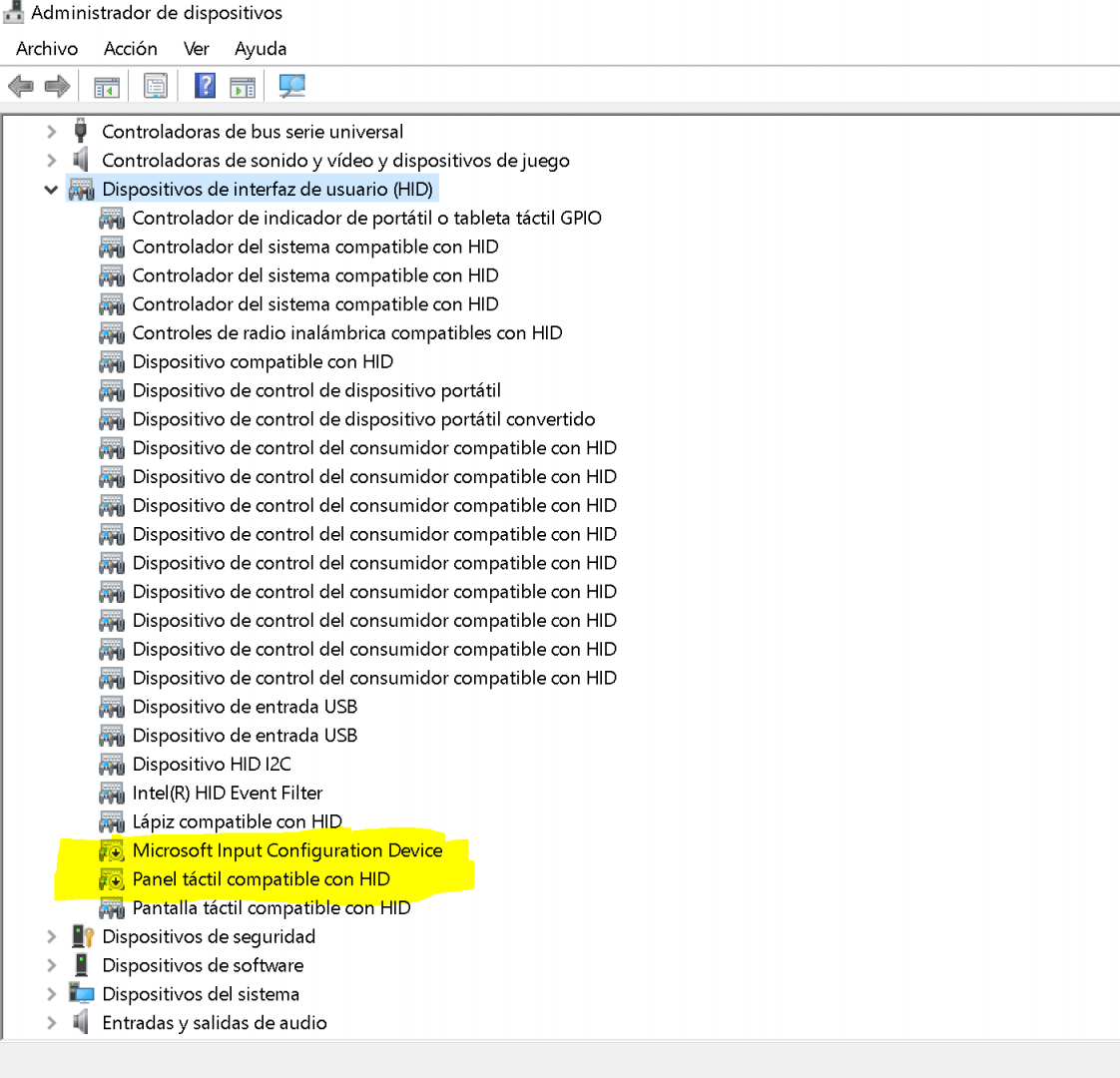
La solución sencilla es, con el teclado conectado, ir a ADMINISTRADOR DE DISPOSITIVOS, después a DISPOSITIVOS DE INTERFAZ DE USUARIO e inhabilita esto:
-Dispositivo de configuración de entrada de Microsoft
-Panel panel compatible con HID

Por alguna, razón confunde windows con la pantalla táctil.
Si alguien tiene una solución más elegante, me quiere leerlo. Gracias.
For your chance to win our tablet, we would like to invite you to subscribe and become our member. As a member you will receive the latest news updates, product announcements, promotions and giveaways from ALLDOCUBE. Subscribe now so that you dont miss out!