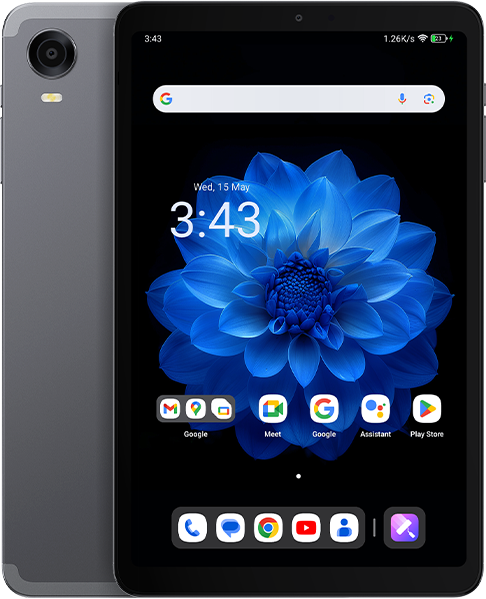


For your chance to win our tablet, we would like to invite you to subscribe and become our member. As a member you will receive the latest news updates, product announcements, promotions and giveaways from ALLDOCUBE. Subscribe now so that you dont miss out!







Do you plan to make Android 15 available via OTA ???
I installed B15_V4.0L.7_20251208 using Format All + Download, but now I can’t authenticate my device in the Google Store. What can I do?
I did the same but on my end LTE doesn’t work.
I sent multiple emails to support with firmware request, but they stopped answering….
Is that so hard to push Android 15 update on OTA?
When can upgrade Android 15 from OTA
Complaint:
Is the B15_V4.0 ROM still a BETA version?* Even basic charging does not work properly — charging power is limited to 1.8W, which is unacceptable. Flashing back to Android 14 immediately restores normal charging at 15W.
In addition, Recent Apps are unavailable when using third-party launchers.
Can anyone write step by step process for dummies? 🙂
I have version 3.1.28 from 2025-09-12 on my iPlay60 mini Pro. However, it’s not automatically updating to B15_V4.0L.6_20250724. Is this normal, or do I need to update manually?
When will there be an update to Andoid 15. Why does the iPlay 60 mini have one?
Be Cautious when following the “Simple Guide”! Sadly The instructions are inaccurate and misleading.. I followed the entire guide until the end and missed a significant warning about not updating the preloader.bin file until it was too late! I now have a Bricked Device. Partially my fault, but nonetheless such an important piece of information should have been highlighted at the start of the guide!! Also, the guide mentions loading an Authentication xml File. This file does not exist in the SP Flash tool V6 Folder. I have contacted support, requesting assistance.
UPDATE: If your device is stuck in a Boot Loop after performing the upgrade. Within SP Flash Tool V6. Change the “Download Only” option to “Firmware upgrade” then download the update to the device again. This should restore the device.
Hi Tom
Thank you very much for your comments, it’s helpful.
I have one question.
When I choose the “Firmware upgrade” – do I need to uncheck preloader, preloader_backup flags in the SP Flash Tool V6?
Thank you.
I got stuck too? did you success?
Hi Muhammad,
Unfortunately, I’m not having any success with it.
Support isn’t really helping and doesn’t provide the authentication file.
The Download or Firmware Upgrade modes – even with the preloader enabled – do not help.
I’m now getting the following error:
Error: Erase [vbmeta_a] At[0xe208000]
Len[0x800000] failed, error code [0xc0040060]
I did it!! before, I flashed it with Version: 20240612. next, flash Version: B15_V4.0L.6_20250724 upgrade mode. all check.
I did it! first, flash Version: 20240612. next, firmware upgrade Version: B15_V4.0L.6_20250724. good luck
Does the version B15_V4.0L.6_20250724 a good version? any bug there? I am using v.20250912 now and want upgrade to B15_V4.0L.6_20250724 Would you recommend it? Thanks
Thank you. I also updated the Preloader.bin file and it almost bricked, but your method fixed it. It’s a tablet that’s easy to use for the price, but it’s a shame that the only way to find solutions when you have a problem is through sites like this. Ideally, the manufacturer should do their best… Please continue to be a guide for lost lambs. Thank you.
Hi, this workaround works for me, without auth file. Thanks.
I used flash option instead of upgrade, now my LTE modem does not work, even after flashing older Androind 14 releases.
I asked support for help but no luck so far.
Hello. How to update the tablet to Android 15 or 16? Is there such an update?
Waiting for Android 15 update!
Interesting I bought a 128gb one and it came with android14.
I then bought a 256gb one for a family member and it came with android15!
I tried to extract the firmware but couldn’t and can’t find alldocubes firmware files for android15 anywhere online…
I bought 256gb but came with Android 14
same here. 256Gb tablet without Android 15. Comon Alldocube, be nice and spread the right firm